Scan it. Share it. Done.
Scan what you need — it's yours. No subscription, no account.
Coming soon to the App Store
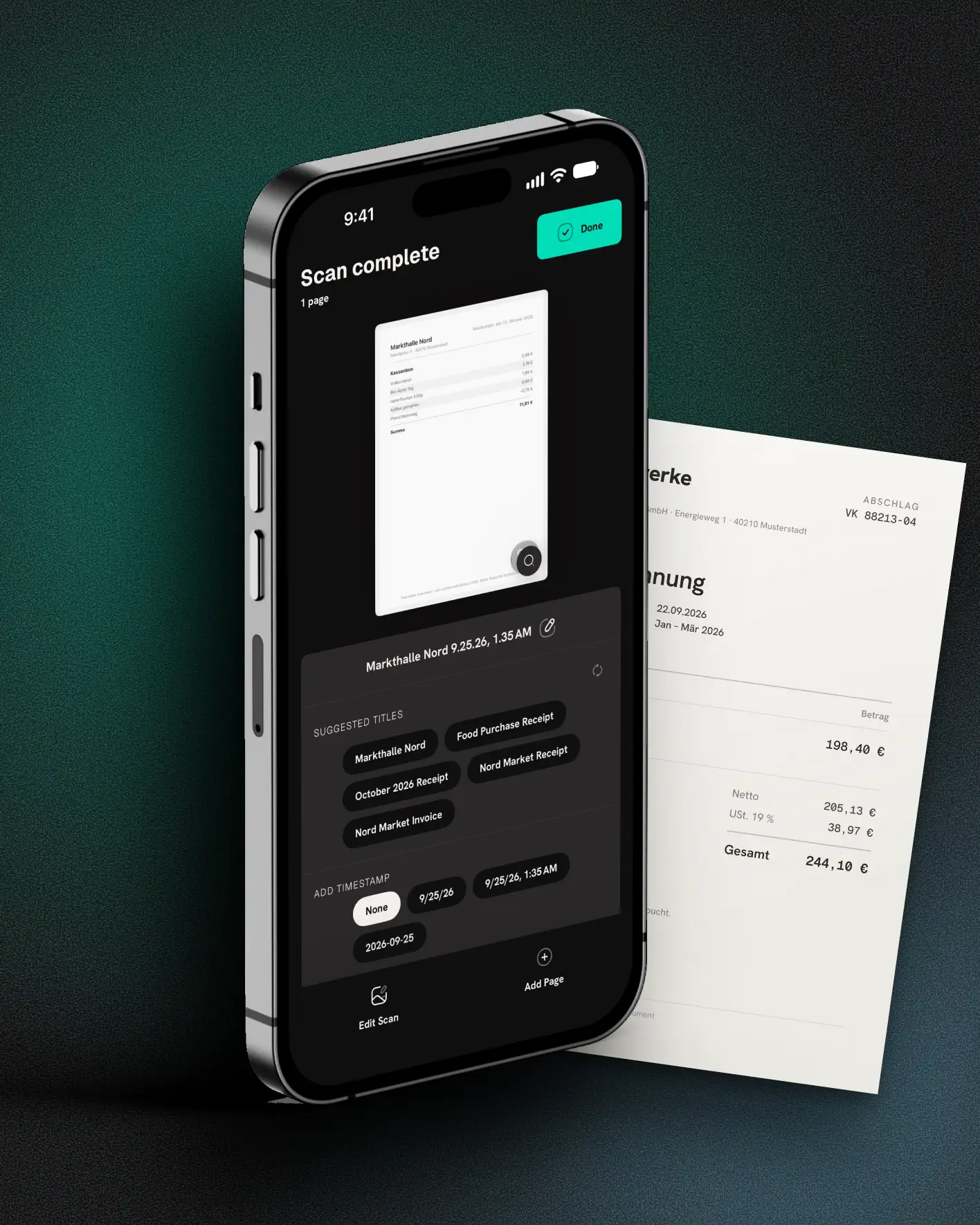
You just wanted to scan
The app wants money before you've made your first scan. The “lifetime” purchase is gone after the update. A watermark sits across your contract. And the old scans? Lost when you switched phones. If you scan an invoice, a contract, a form once or twice a month — not a corporation's accounting — you know the frustration. Mirino turns it around: buy once, scan, done. What you scan is yours.
Scan in. PDF out.
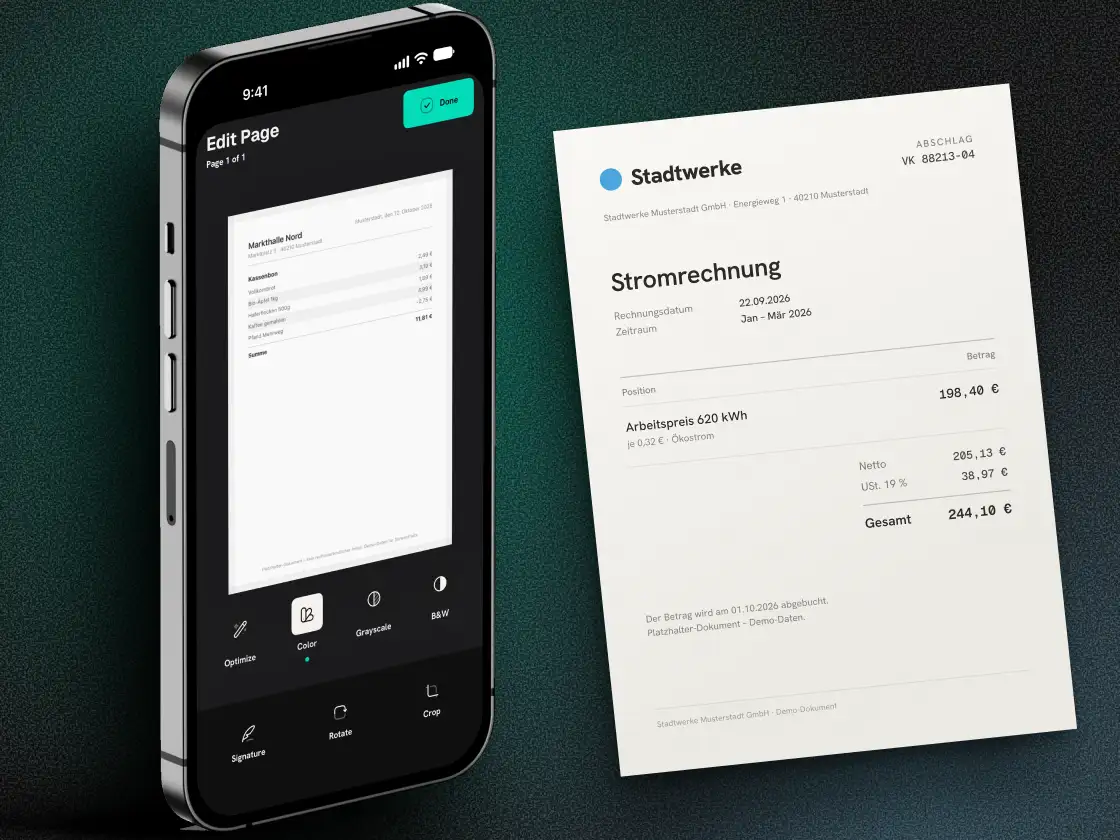
Edge detection and perspective, automatic. Text recognition runs on every scan, right on the device. The PDF becomes searchable, the file name comes from the content. Sign it, lock it with a password, export the recognised text as Word. One-tap image enhancement — automatic if you want — plus grayscale and black-and-white mode.
Your scans stay with you
Every scan stays on your device — and, if you want, in your iCloud. Never on our servers. Automatic deletion is off by default. Your recent scans stay at hand in the app for quick re-sharing. Coming from Microsoft Lens? Mirino saves locally, no forced cloud.
The no list
No subscription. No account. No tracking. No third-party servers. No folder clutter, no AI chatbot, no bloat. A scanner — not a Swiss army knife. What stays: your scans, and they're yours.
Scan on iPhone, finish on Mac
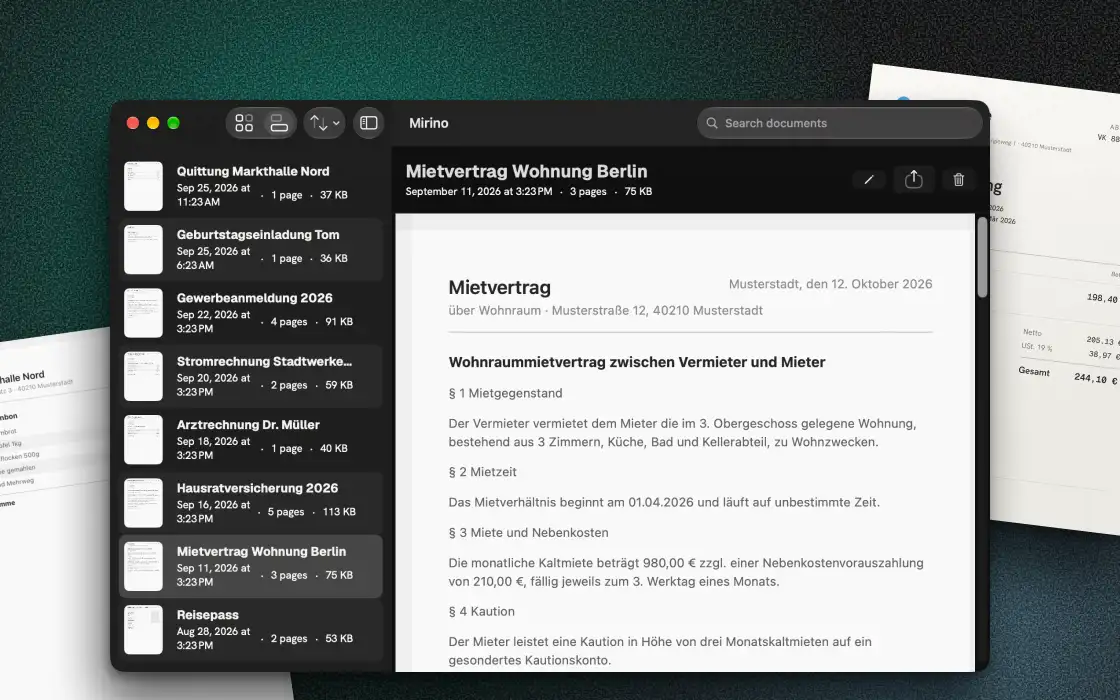
If you want, your scans land on all your devices — encrypted through your own iCloud. Off by default. We see none of it: it runs through your iCloud, never through us. On the Mac you drag any document straight into Mail or Finder.
$4.99 once. Never again.
Three scans free — fully functional, no watermark, nothing locked. No ads, ever. Then $4.99, once. No timer, no “today only”, no guilt-trip button. The last scanner you'll buy.
THIS IS ALL IT TAKES
Three steps. That's it.
- 01
Scan the document
Open the app, point at the page. Mirino handles edges and perspective — nothing to set up.
- 02
Quick check
Rotate, enhance, sign — if needed. Most of the time it's right immediately and you just move on.
- 03
Share — done
Out as a PDF, wherever you want. It's a file on your device, not in someone else's cloud.
IN SHORT
What Mirino can do
-
OCR & searchable PDFs
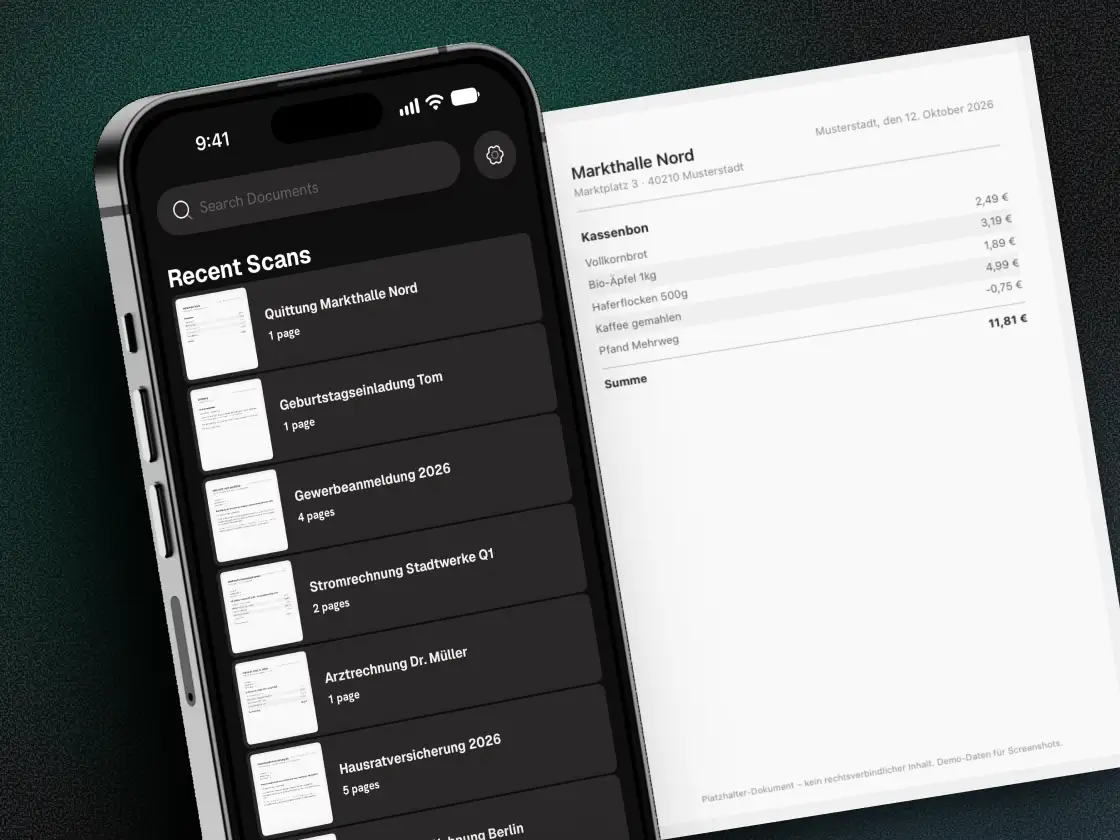
Text recognition runs on the device. Scanned PDFs become searchable — and Mirino suggests a sensible file name from the text.
-
Search the text
Find scans by their recognised text, not just the file name. In a scan you can select and copy text with Live Text.
-
Signature
Sign with finger or Apple Pencil, rendered into the PDF.
-
Word export
Keep editing the recognised text as .docx.
-
Enhance
Improve contrast and brightness with one tap — automatically if you want. Plus grayscale and black-and-white mode.
-
QR codes & barcodes
From iOS 26, Mirino detects codes in a scan — open links, copy everything else.
-
Widget & Action Button
One tap from the Lock Screen to a scan.
-
Password protection
Encrypt the PDF with a password on export.
-
Face ID lock
Optionally lock the app with Face ID, Touch ID or a passcode.
-
Share in bulk
Send several scans in one step.
-
Mac companion
Drag & drop straight into Mail or Finder on the Mac.
-
iCloud sync
Optionally across your devices via your own iCloud — off by default.
-
Multi-page scan
Any number of pages into one PDF — one shot after another.
-
Photo import
Import existing photos and treat them like scans.
-
Edit pages
Rotate, reorder, append a forgotten page after the fact.
-
Shortcuts & automation
Open the scanner straight from Siri, a Shortcut or the Action Button.
-
Blur warning
Shaky shot? Mirino warns you before you save.
-
Manual crop
Set the corners yourself — also on imported photos.
-
Spotlight search
Spotlight finds scans by their recognized text and respects the lock.
-
PDF quality
In Settings you choose how small or how sharp the PDF gets.
FAQ
Three questions. Answered honestly.
- Does Mirino really cost just once?
- Yes. Mirino costs a one-time $4.99. No subscription, no recurring charge, no hidden in-app purchases beyond that.
- You say “no servers” — what about iCloud sync?
- Mirino has no servers of its own. Sync is optional and runs through your own iCloud between your Apple devices, encrypted in transit and at rest (Apple's iCloud standard). If you don't turn it on, everything stays local.
- Do I need an account?
- No. Open the app and scan. No sign-up, no email, no login. Mirino asks for nothing it doesn't need.
VERIFIABLE
Not a claim. A proof.
This page, just now, in your browser
Read live from your browser — not claimed by us.
And the app?
Test it yourself: turn on airplane mode, keep scanning. It works — because Mirino needs no network to scan. Only what you switch on goes online: sync and purchase, both through Apple.
DO THE MATH
What you don't pay over five years
Drag the years. Subscription on the left, Mirino on the right. $4.99 once — the rest stays with you.
- CamScanner Premium —
- Adobe Scan Plus —
- Mirino (once) —
Yearly subscriptions per the US App Store, the lowest plan listed as “1 year” or “yearly” (before sales tax). Both apps can also be used free, with limits. As of: October 2026, source: vendor information. Mirino: one-time purchase, no subscription, no follow-up costs.
WHO'S BEHIND IT
Why not just go free?
There are free scanners. But “free” usually means you're the product — ads, trackers, your documents on someone else's servers. Mirino is a paid app by hyperzero, a small studio in Germany. No investor demanding growth. No data we could sell. You pay $4.99 once — and that's exactly why we don't have to milk you.
THE NAME
Why “Mirino”?
Mirino is Italian for viewfinder: the little window you aim through before the click. That’s all a scanner needs.
FOR IPHONE, IPAD & MAC
Mirino is coming to the App Store
Coming soon to the App Store