Text in. Plain out.
Piuma is the menu-bar notepad that kills formatting — and makes copy-paste from ChatGPT & co. clean again.
Coming soon to the Mac App Store
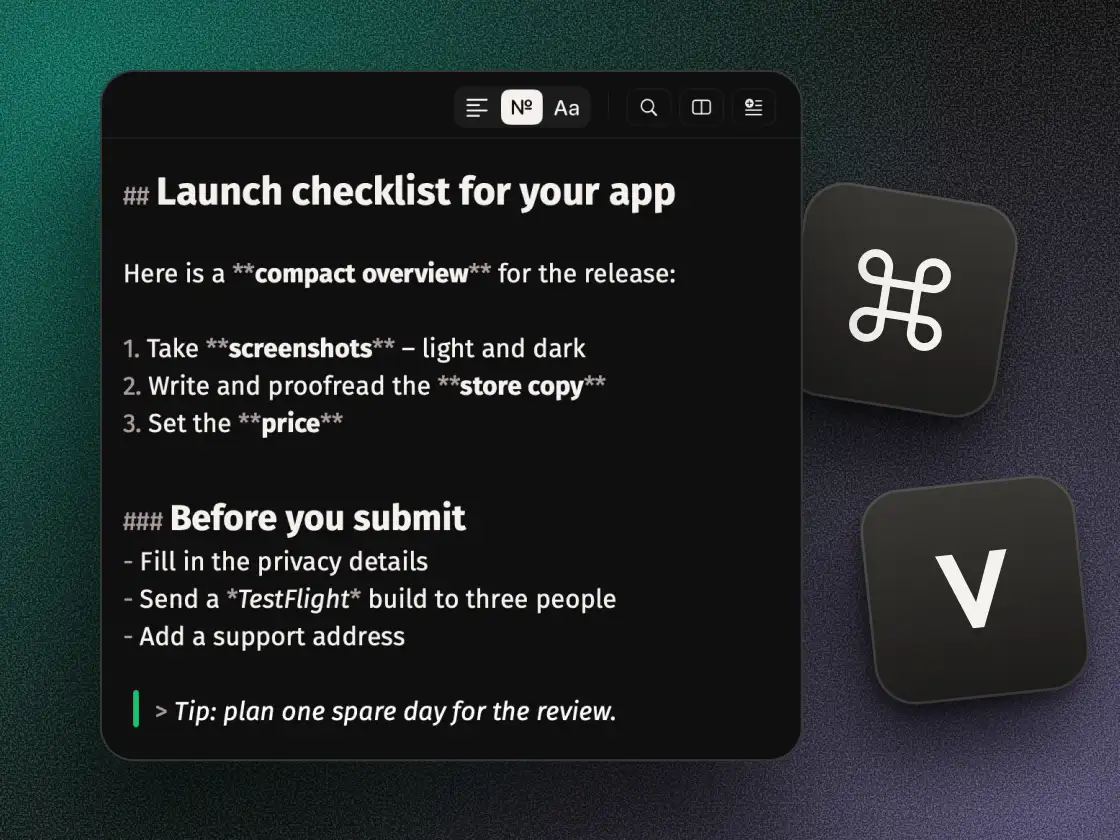
Copy from ChatGPT, get a mess back
You copy an answer from ChatGPT, Claude or Gemini and paste it into Slack, an email or your CMS — and get raw Markdown syntax staring back: “## Heading”, “**bold**”, dashes instead of a bullet list. The model writes Markdown text, the destination doesn't render it, and you're left cleaning up formatting debris by hand. Piuma is the missing middle step: paste it in, check it in a form that actually reads like formatting, copy it back out clean — as plain text, as Markdown, or as rich text.
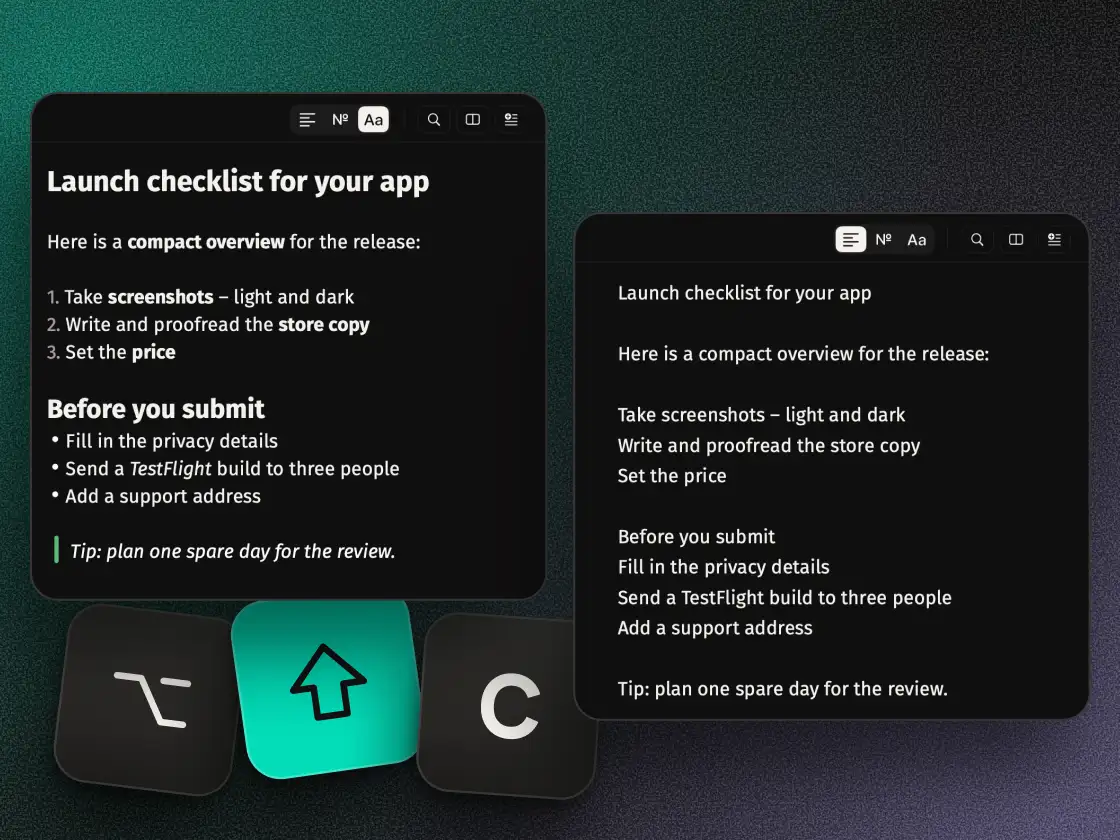
Markdown that doesn't look like Markdown
Piuma shows the same text in three views: Plain (every marker stripped), Markdown (the raw source), and Formatted — where “##” and “**” collapse into real headings, bold, italics, bullet lists and quote bars. Checkboxes are clickable. You can edit right inside the Formatted view, no need to type the markers by hand. Underneath, the text always stays plain text — Markdown is plain text, nothing gets locked into a format you can't get back out of.
Time machine and compare mode (Pro)
With Piuma Pro, meaningful states of your block land in the time machine — the last 25 by default, and they survive an app restart. A quiet tick scale on the edge marks every state; drag to preview, “Restore” brings it back. Compare mode puts your block next to a second version you paste in and marks line by line what changed.
The no list
No subscription. No account. No tracking. No server Piuma talks to. No AI rewrite, no “improve this” button — macOS can already do that itself with Apple Intelligence, if you want it. Piuma stays deterministic: the same input always produces the same output, traceable, with no AI quietly rewriting your text.
TOOLS
What Piuma can do
-
Clean up text
One click removes trailing spaces, collapses blank lines and turns tabs into spaces — as a single undo step.
-
Markdown tools
Bold, italic, heading, list, task, link, code, quote — from a floating bar at your selection.
-
Detox links
Strips tracking parameters (utm_*, fbclid, gclid …) from every link on the pad, keeps the real content.
-
Drop files in
Text, Markdown, RTF, Word, Pages, ODT, HTML, links — drag them onto the pad and Piuma pulls out the plain text. Even from images, via on-device OCR (Pro, German and English). Word, Pages, ODT, HTML and PDFs with text come in for free.
-
Counter with a goal
Character goal for a tweet, meta description or SMS — counted live, turns red past the limit.
-
Drag trap
Drag text, a link or a file onto the pad — it lands as plain text, never as formatting debris.
-
Editable formatted view
Markers collapse into real formatting — editable, with clickable checkboxes. Stays plain text underneath.
-
Clean-clipboard hotkey
⌥⇧C cleans the clipboard before you paste anywhere — no need to open Piuma at all.
-
Pad hotkey
⌥⇧L opens or closes the pad from wherever you're working.
-
Search
⌘F finds and replaces on the pad — case-sensitive and regex, if you want it.
-
Export & share
Save as .txt, .md, .pdf, .rtf or .html, or send straight through the share menu.
-
Time machine
Pro: your recent meaningful states are kept (25 by default) — scrub, preview, restore.
-
Compare mode
Pro: your block next to a second version you paste in, differences marked line by line.
-
Calculate
Pro: select an expression and work it out via right-click — or type “=” at the end of a line (switch it on in Settings).
-
Image & PDF OCR
Drag a screenshot or scanned PDF onto the pad — the text comes out, entirely on-device (Pro, German and English).
-
iCloud sync
Pro, optional: your blocks via your own iCloud between your Macs (up to 1 MB of text) — never through a Piuma server.
-
Snippets
Type a shortcut, get the finished snippet — live, as you write (Pro).
VERIFIABLE
No network access. Verifiable.
This page, just now, in your browser
Read live from your browser — not claimed by us.
And Piuma itself?
Piuma itself has no network access — the app’s sandbox doesn’t allow it. Turn Wi-Fi off, keep working: clean, format, export, all of it works unchanged. If you want to know for sure: check it with Little Snitch. The only things that go online are buying Piuma Pro through the App Store and, if you switch it on, the iCloud sync of your blocks — both handled by macOS.
PRICE
Start free. Unlock when you need it.
No trial, no timer, no “today only”. The free core stays usable forever — Piuma Pro is a one-time purchase, not a subscription.
- 1 block
- Auto-plain on paste
- Clean-clipboard hotkey (⌥⇧C)
- Pad hotkey (⌥⇧L)
- Clean up + 6 text transforms
- Import: Word, Pages, ODT, HTML and PDFs with text
- Markdown tools (bold, heading, list, task, link, code, quote)
- Detox links
- Counter with a goal
- Drag trap
- 3 views (Plain, Markdown, Formatted)
- Search (⌘F)
- Export & share (txt, md, pdf, rtf, html)
- Shortcuts (App Intents)
- Multiple blocks as tabs (⌘⇧T brings a closed one back)
- Custom shortcuts per tool
- Search across all blocks
- Calculate
- Reflow to prose
- Image & PDF OCR (German and English)
- Time machine
- Compare mode
- iCloud sync (up to 1 MB of text)
- Configure the toolbar
- Snippets
Everything free stays free, even after upgrading. Pro unlocks once — no subscription, no follow-up cost, no repurchase on a future app update.
COMPARISON
Sindre Sorhus builds this as three apps. Piuma as one.
One Thing (free), Scratchpad ($12) and Pure Paste ($4) together roughly cover what Piuma bundles into one app — for $16 combined instead of $4.99. Prices per the US App Store, before sales tax. As of: October 2026, source: vendor information.
Piuma vs. Pure Paste & ScratchpadWHO'S BEHIND IT
Why does Piuma Pro cost anything?
Piuma's free core stays free forever — no trial, no expiry. Piuma Pro is a one-time purchase from hyperzero, a small studio in Germany. No investor demanding growth at any cost. No data we could sell, because we don't collect any. You pay once — and that's exactly why we don't have to milk you.
THE NAME
Why “Piuma”?
Piuma is Italian for feather: the one you write with, and the one that weighs nothing. Exactly how text should feel.
FOR THE MAC
Piuma is coming to the Mac App Store
Coming soon to the Mac App Store
FAQ
Frequently asked questions
- Is Piuma really free?
- The core is — permanently, no trial, no expiry: 1 block, auto-plain paste, both hotkeys, all 6 transforms, Markdown tools, link detox, the counter, the drag trap, all three views, search and export. Piuma Pro unlocks multiple blocks, the time machine, compare mode, iCloud sync, OCR, calculating and more — a one-time $4.99, no subscription.
- Do I need an account?
- No. Piuma opens from the menu bar and is usable right away. No sign-up, no email, no login.
- Does Piuma really work fully offline?
- Yes. Cleaning, formatting, the time machine, even image and PDF text recognition (Vision, on-device) all run entirely on your Mac. Piuma needs no internet connection. The only things that go online are the ones you trigger: buying Piuma Pro and the optional iCloud sync.
- Where are my notes stored?
- Locally on your Mac. Piuma runs no servers of its own. If you turn on the optional iCloud sync (Pro), it runs exclusively through your own iCloud between your Macs (up to 1 MB of text) — we see none of it.
- What exactly does the formatted view do?
- It shows the same text with “##” and “**” rendered as real headings, bold, italics and bullet lists — checkboxes are clickable. You can edit right inside it. Underneath, the text always stays plain text; Markdown is plain text, nothing gets locked into a format.
- Does Piuma actually help with the ChatGPT copy-paste problem?
- Yes, that's exactly what the workflow is for: copy an answer from ChatGPT, Claude or Gemini, paste it into Piuma, read it in the formatted view — then copy it back out as plain text, as Markdown or as rich text — or save it as an HTML file, whichever the destination needs.
- What does the time machine do?
- With Piuma Pro it saves meaningful states of your block — transforms, cleanups, rough typing bursts — in a capped history (25 states by default, up to 100) that survives a restart. A tick scale on the edge marks the states; drag for a preview, “Restore” brings a state back.
- Does Piuma rewrite my text with AI?
- No, never. Every transform is deterministic — the same input always produces the same output. We deliberately don't build an AI “rewrite” — macOS already does that system-wide with Apple Intelligence, if you want it.
- Can I use Piuma from the keyboard without opening the app?
- Yes. ⌥⇧C cleans the clipboard directly, ⌥⇧L opens or closes the pad — both hotkeys are freely configurable. There are also four Shortcuts actions (App Intents) for your own automations, e.g. “Clean Clipboard”.
- What formats can I export to?
- Save as .txt, .md, .pdf, .rtf or .html. PDF, rich text and HTML keep the formatting from the formatted view. “Share…” sends the text to another app.
- Is there a Piuma for iPhone or iPad?
- Right now Piuma is Mac-only — a menu-bar tool that lives exactly where copy-paste happens on the Mac. An iOS version isn't ruled out, but it's not a current plan.
- How is Piuma different from Apple Notes or TextEdit?
- Notes and TextEdit are document apps — folders, storage, formatting you set yourself. Piuma is a tool: text comes in formatted, goes back out plain (or cleanly formatted). No folder clutter, but transforms, a formatted view and (with Pro) a time machine that Notes doesn't have.